
PC BUILD GUIDE in India can be an exciting and rewarding experience, whether you’re a gamer, content creator, or need a powerful machine for everyday use. This guide covers all essential components for a PC build, providing multiple price ranges in Indian Rupees (₹) to help you find the perfect balance between performance and budget.
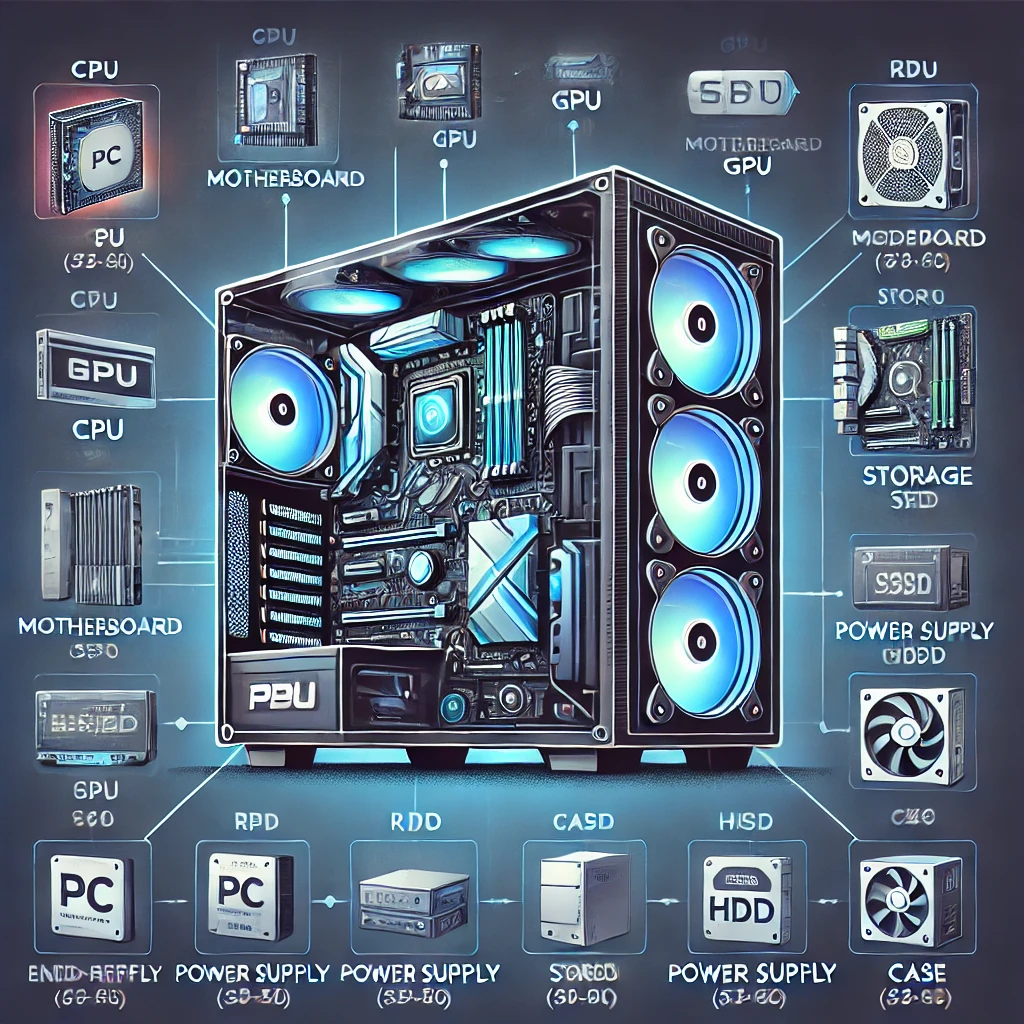
1. Essential PC Components
Every PC requires the following components:
| Component | Purpose |
|---|---|
| Processor (CPU) | The brain of your computer, responsible for processing tasks. |
| Graphics Card (GPU) | Handles rendering for gaming, video editing, and 3D modeling. |
| Motherboard | Connects all components and provides expansion options. |
| Memory (RAM) | Provides temporary storage for fast access to running programs. |
| Storage (SSD/HDD) | Stores the operating system, games, and files. |
| Power Supply (PSU) | Provides power to all components. |
| Case | Houses all components and provides cooling. |
| Cooling System | Keeps the CPU and GPU at optimal temperatures. |
2. PC Build GUIDE Configurations by Budget
Budget Build (Entry-Level) – ₹40,000 – ₹60,000
Ideal for everyday tasks, light gaming, and office work.
| Component | Model | Price Range (₹) |
|---|---|---|
| CPU | AMD Ryzen 5 5600G (with integrated graphics) | ₹10,000 – ₹12,000 |
| GPU | Integrated (No dedicated GPU needed) | – |
| Motherboard | MSI B450M Pro-VDH MAX | ₹7,000 – ₹9,000 |
| RAM | 16GB (2x8GB) DDR4 3200MHz | ₹4,500 – ₹6,000 |
| Storage | 512GB NVMe SSD | ₹3,500 – ₹5,000 |
| PSU | 500W 80+ Bronze | ₹3,500 – ₹5,000 |
| Case | Ant Esports ICE-130AG | ₹3,000 – ₹4,500 |
| Cooling | Stock CPU Cooler | Included |
💡 Best for: Web browsing, office work, and casual gaming (like Minecraft, Fortnite, and Valorant at low-medium settings).
Mid-Range Build – ₹70,000 – ₹1,20,000
Great for gaming at 1080p or 1440p, streaming, and video editing.
| Component | Model | Price Range (₹) |
|---|---|---|
| CPU | Intel Core i5-13600K / AMD Ryzen 7 7700X | ₹25,000 – ₹35,000 |
| GPU | NVIDIA RTX 4060 / AMD RX 6700 XT | ₹35,000 – ₹45,000 |
| Motherboard | ASUS TUF Gaming B660M | ₹12,000 – ₹15,000 |
| RAM | 32GB (2x16GB) DDR5 5600MHz | ₹10,000 – ₹15,000 |
| Storage | 1TB NVMe SSD (Samsung 980 Pro) | ₹7,000 – ₹10,000 |
| PSU | 650W 80+ Gold | ₹6,000 – ₹10,000 |
| Case | NZXT H510 | ₹6,000 – ₹10,000 |
| Cooling | 240mm AIO Liquid Cooler | ₹7,000 – ₹12,000 |
💡 Best for: AAA gaming, streaming, and 1440p gameplay with high frame rates.
High-End PC Build GUIDE – ₹1,50,000 – ₹2,80,000
For enthusiasts who want 4K gaming, high refresh rates, and professional-level video editing.
| Component | Model | Price Range (₹) |
|---|---|---|
| CPU | Intel Core i9-14900K / AMD Ryzen 9 7950X3D | ₹50,000 – ₹70,000 |
| GPU | NVIDIA RTX 4080 / AMD RX 7900 XTX | ₹1,00,000 – ₹1,30,000 |
| Motherboard | ASUS ROG Strix X670E | ₹25,000 – ₹40,000 |
| RAM | 64GB (2x32GB) DDR5 6000MHz | ₹18,000 – ₹30,000 |
| Storage | 2TB NVMe Gen 4 SSD | ₹12,000 – ₹20,000 |
| PSU | 850W – 1000W 80+ Platinum | ₹12,000 – ₹20,000 |
| Case | Lian Li PC-O11 Dynamic | ₹12,000 – ₹18,000 |
| Cooling | Custom Liquid Cooling Loop | ₹25,000 – ₹40,000 |
💡 Best for: 4K gaming, professional editing, and AI-driven workloads.
3. Choosing the Right PC Build for Your Needs
| User Type | Recommended Budget (₹) | Best Features |
|---|---|---|
| Casual Users & Students | ₹40,000 – ₹60,000 | Smooth web browsing, light gaming, office work. |
| Gamers & Streamers | ₹70,000 – ₹1,20,000 | 1080p/1440p gaming, solid multitasking. |
| Enthusiasts & Creators | ₹1,50,000 – ₹2,80,000 | 4K gaming, high refresh rates, extreme performance. |
4. Additional Accessories
- Monitor: 1080p 144Hz (₹12,000 – ₹25,000), 1440p 165Hz (₹25,000 – ₹40,000), 4K 144Hz (₹50,000+).
- Keyboard & Mouse: Mechanical keyboards (₹3,000 – ₹12,000), gaming mice (₹1,500 – ₹8,000).
- Headset & Speakers: Gaming headsets (₹2,000 – ₹12,000), premium speakers (₹5,000 – ₹20,000).
- Operating System: Windows 11 (₹9,000) or Linux (Free).
5. Key Differences Between RTX 4000 and RTX 5000 Series
| Feature | RTX 4000 Series (Ada Lovelace) | RTX 5000 Series (Blackwell – Rumored) |
|---|---|---|
| Architecture | Ada Lovelace (TSMC 4nm) | Blackwell (TSMC 3nm) |
| CUDA Cores | Up to 16,384 (RTX 4090) | Expected up to 20,480 (RTX 5090) |
| Ray Tracing Cores | 3rd Generation | 4th Generation |
| Tensor Cores | 4th Generation | 5th Generation |
| Memory Type | GDDR6X | GDDR7 |
| Memory Bandwidth | Up to 1,008 GB/s | Expected 1,500+ GB/s |
| Power Consumption (TDP) | 160W – 450W | Expected 200W – 600W |
| DLSS | DLSS 3 | DLSS 4 (Expected) |
| AI & Upscaling | Strong, but limited to DLSS 3 | More AI-driven features, better frame generation |
| PCIe Interface | PCIe 4.0 | PCIe 5.0 |
| Release Year | 2022-2023 | Expected Q4 2024 – 2025 |
6. Conclusion
Whether you’re building a budget-friendly PC or a high-end powerhouse, choosing the right components ensures you get the best performance for your money. Prioritize your needs, keep an eye on discounts, and enjoy the experience of building your own custom rig.
Would you like recommendations for specific brands or online stores in India? Let me know.